
Tasks that understand context
Time, priority, category, subtasks, repeats, location and contact. Swipe to complete, swipe to delete. A repeating series folds into one card instead of flooding the list.
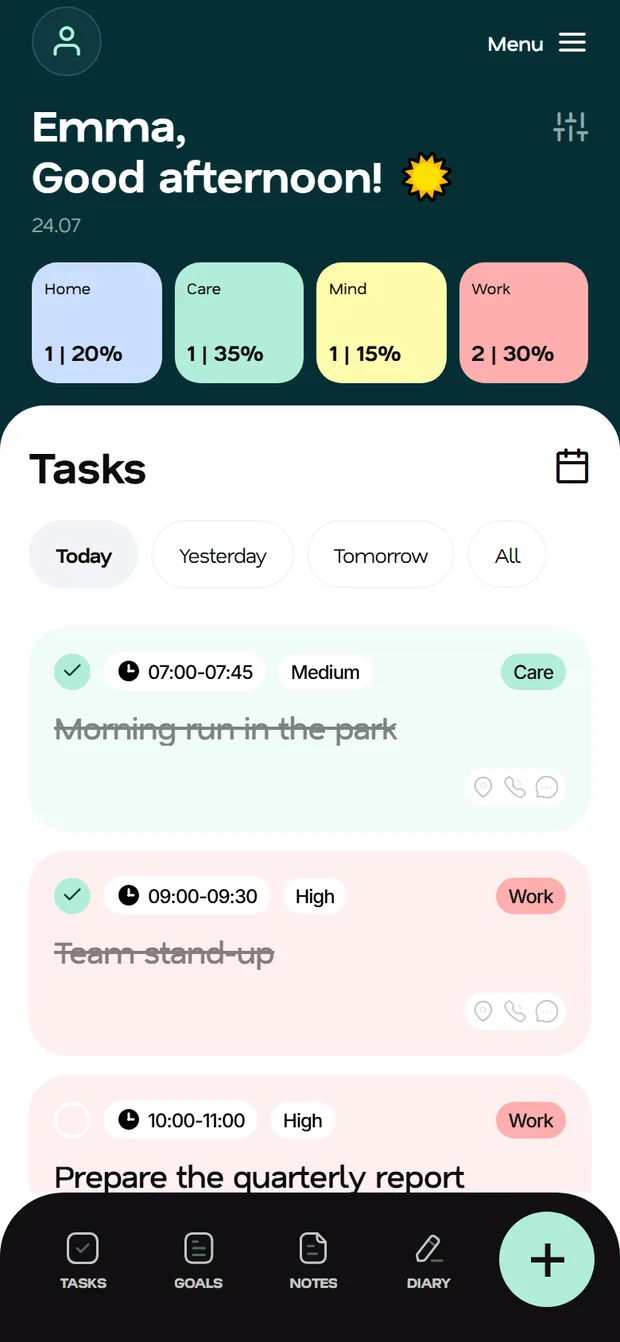


Fluena spreads your day across work, home, self-care and growth. It sets goals, keeps your calendar, turns on focus mode, listens to your voice and explains — in plain language, with AI — where your time actually goes.
The mobile apps are on their way to the stores. In the meantime use the web app — it is the full product and installs on your phone like a native one.
An ordinary to-do list only knows “done / not done”. Fluena looks wider: every task belongs to an area of your life, and the app keeps an eye on the proportions — so work does not eat up your home, and self-care does not get postponed to “someday”. Four areas are there from the start; the rest you add to fit your own life.
No juggling five services, no copying plans from a notebook into a calendar.
Time, priority, category, subtasks, repeats, location and contact. Swipe to complete, swipe to delete. A repeating series folds into one card instead of flooding the list.

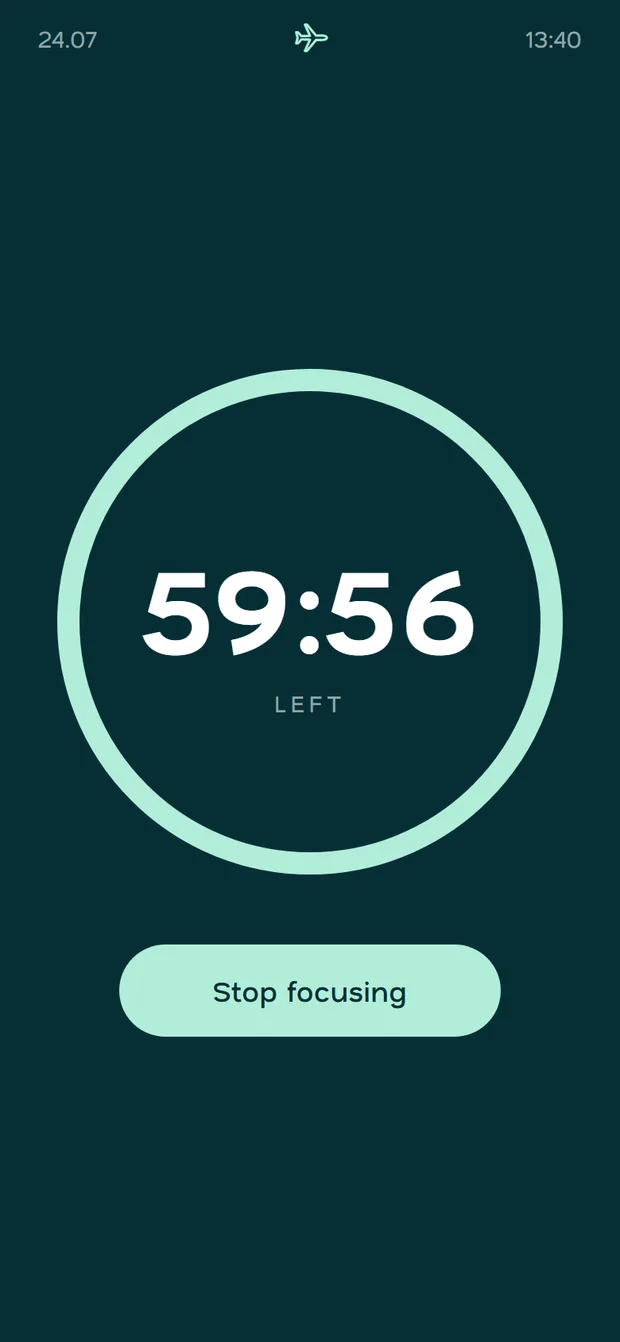
One task, a timer ring and a gentle nudge to put the phone on airplane mode. Nothing else on screen.
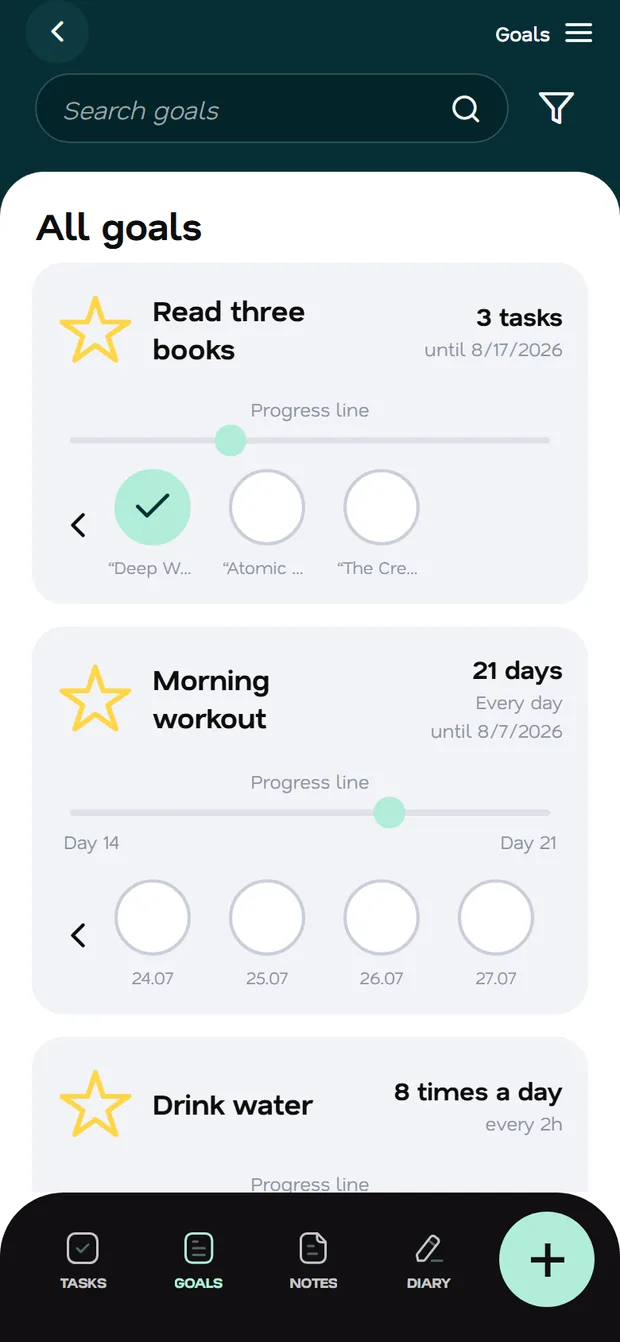
A big goal is split into subtasks and spread evenly up to the deadline. Habits are counted as repeats: “3 of 8 today” — and the night hours don't spoil your statistics.
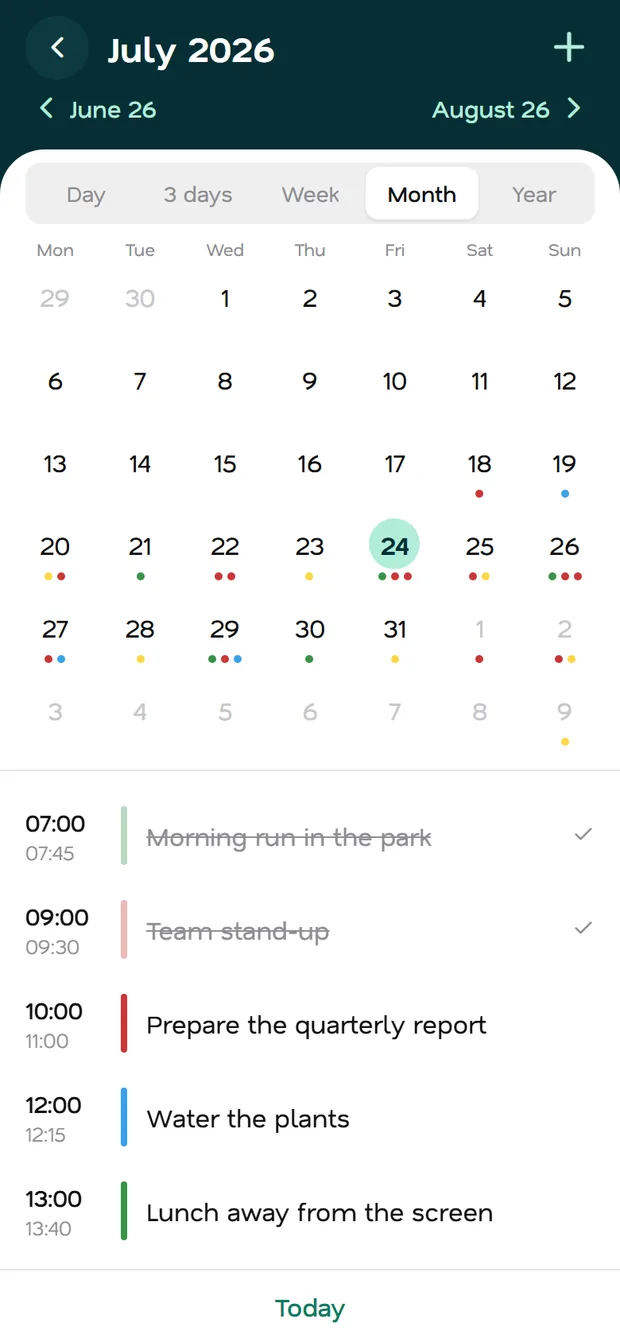
Day, week, month and year. Two-way sync with external calendars, custom colours per subscription, automatic sleep and break blocks.
Rich formatting, photo and voice attachments, category tags. Text and titles are encrypted on your device — the server only ever stores ciphertext.
Send a task to a family member or a colleague by e-mail. You see the “done” status; they see “assigned by you”.

Subway, plane, countryside. Changes queue up locally and sync the moment you are back online — with no duplicates.
Push notifications for deadlines and goal repeats — on your phone and in the browser. Quiet hours keep the app silent at night.
A light sheet where you work, calm depth around it. Swipe sideways.
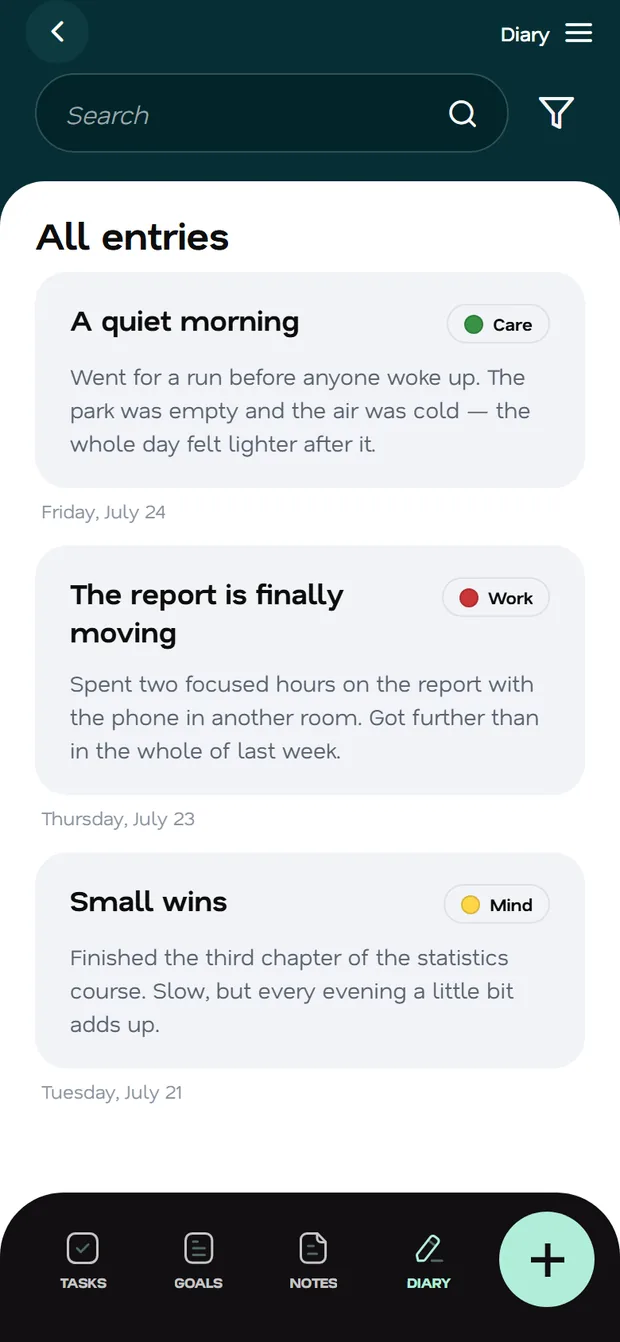
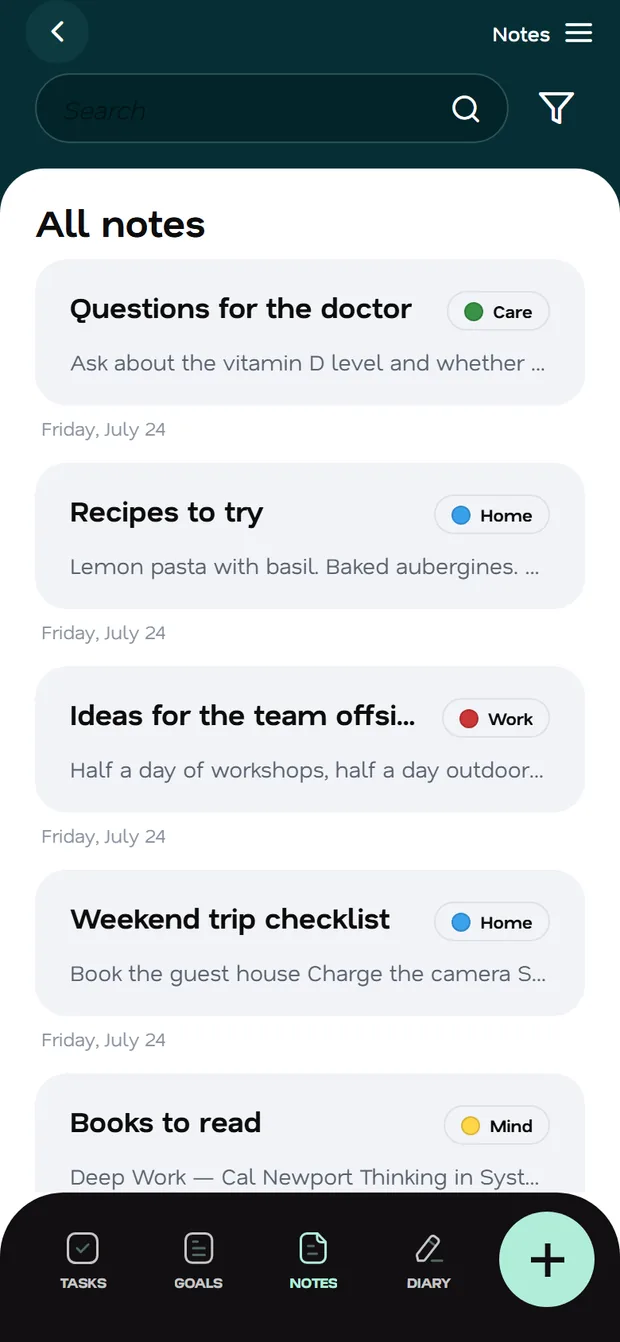
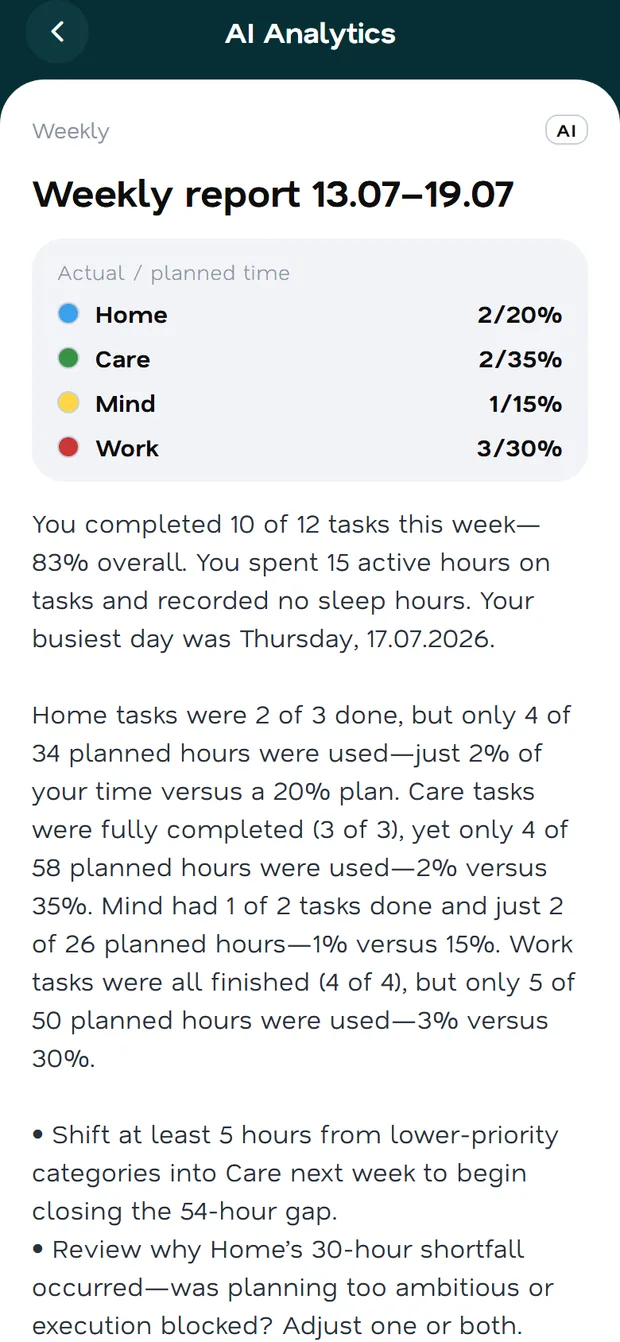

Every week and every month Fluena writes a report in plain human language: what worked, where the balance tipped, where the time went and what is worth adjusting. Not charts for the sake of charts — a clear conclusion and a piece of advice.
AI features are part of the subscription. The first 14 days are free.
Press the button and speak: “pick up the documents on Thursday at 3 pm”. Fluena recognises your speech, works out the date, time and category — and decides whether it is a task, a goal, a note or a journal entry.
Notes and journal entries are encrypted with a master password right on your device — the key never leaves your phone. Even we only ever see ciphertext. Attachments live in private storage and are served through short-lived links.




No passwords, no long forms: a code from an e-mail and you are in. One account for your phone and your browser.
A short survey: when you get up, how long you sleep, what matters most to you. Categories and priorities adapt.
Add tasks with your voice, tick things off with a swipe, and read the report at the end of the week.
The web app already works and installs on your phone like a native one. The stores are next.
The full product in your browser — on a computer and on a phone.
AvailableThe version for iPhone and iPad is being prepared for release.
SoonThe Android version is on its way to the app stores.
Soon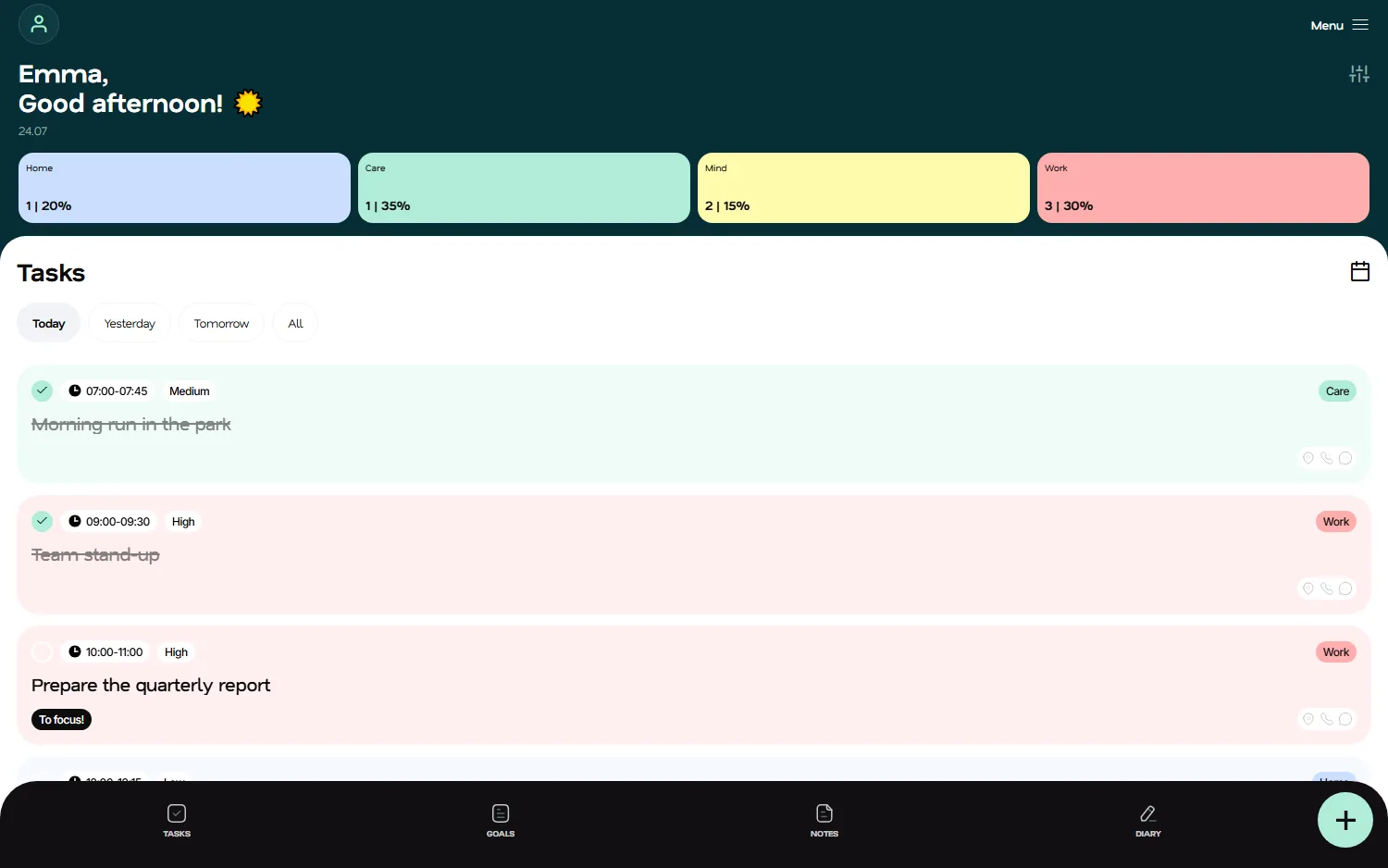
Planning, tasks, goals, calendar, notes and journal are free. The subscription adds the AI features: reports and advice, voice-to-task recognition, smart formatting, and task delegation. The first 14 days of the subscription are free.
Right now — in any modern browser on a computer, iPhone or Android, including installation to the home screen as a PWA. Native iOS and Android apps are being prepared for the stores.
Notes and journal entries are encrypted on your device with a master password: only ciphertext goes to the server, the key stays with you. The password cannot be recovered — that is the price of real privacy.
The app keeps working: you create and edit tasks, the changes wait in a queue and sync automatically once the connection is back.
Yes. Fluena connects external calendars by link and syncs both ways: events show up in the app, and your tasks show up in your calendar.
The interface is available in English and Russian. AI advice is translated into the language of the app automatically.
Try it right now: sign in with a code from an e-mail, nothing to install.
The web app installs like a native one — with an icon, full-screen mode and offline support.

