
Task details
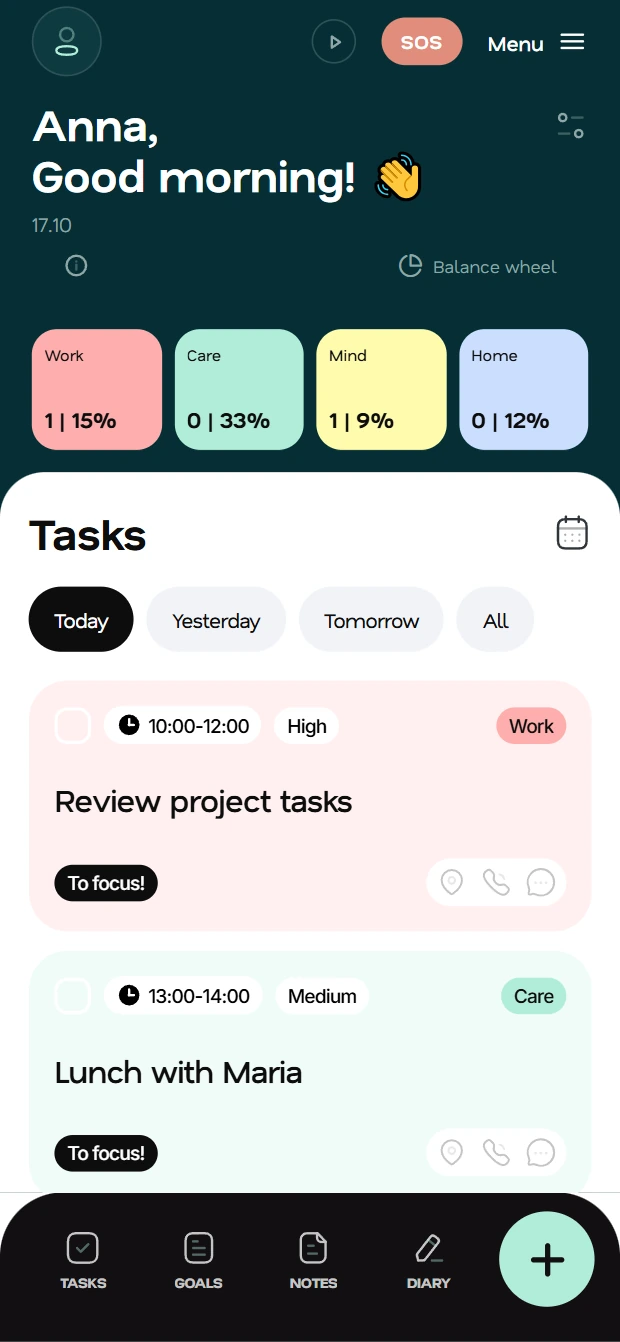
Time, priority, category, subtasks, repeats, location and contact. Swipe to complete or delete. Repeats share one card.


Plan tasks and goals. Track time for work, home, self-care and growth. Use the calendar, focus mode, voice input and weekly reports.
Get the Android app in RuStore. On iPhone or a computer, use the full web app and install it on your phone.
Group tasks by life area and compare the time you planned with the time you spent. The app starts with four areas. You can add your own.
Keep plans together. No copying between apps.
Time, priority, category, subtasks, repeats, location and contact. Swipe to complete or delete. Repeats share one card.

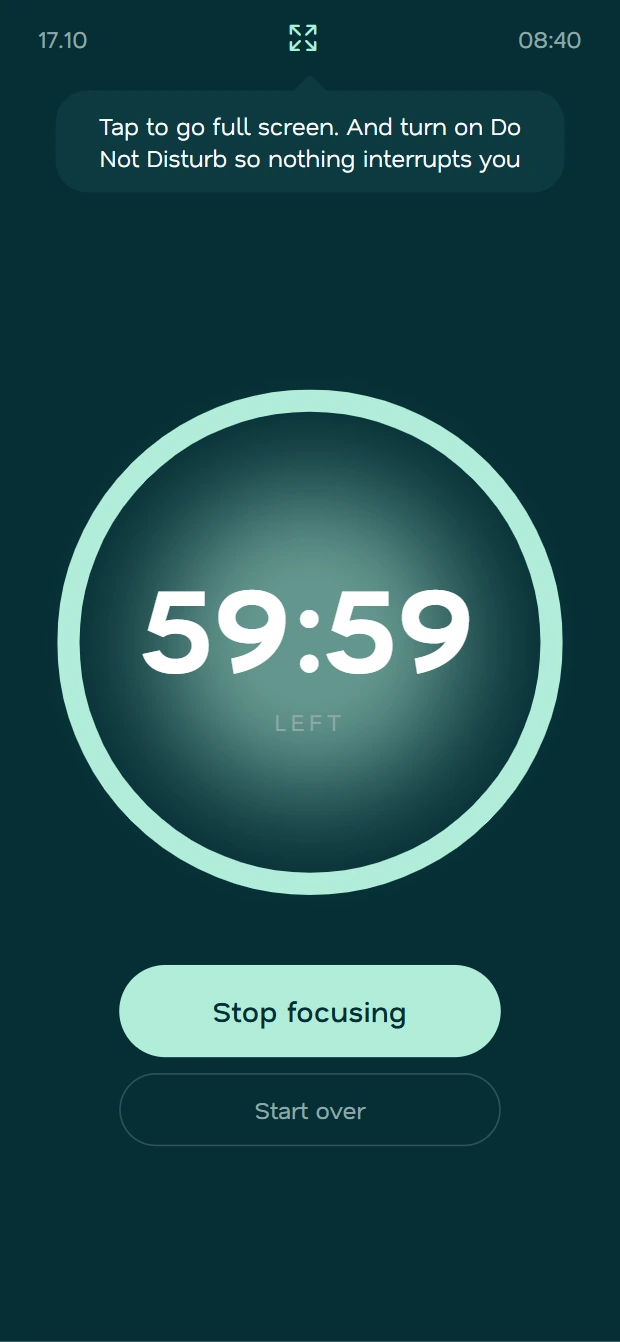
Just your task and timer on screen. Try airplane mode to avoid distractions.
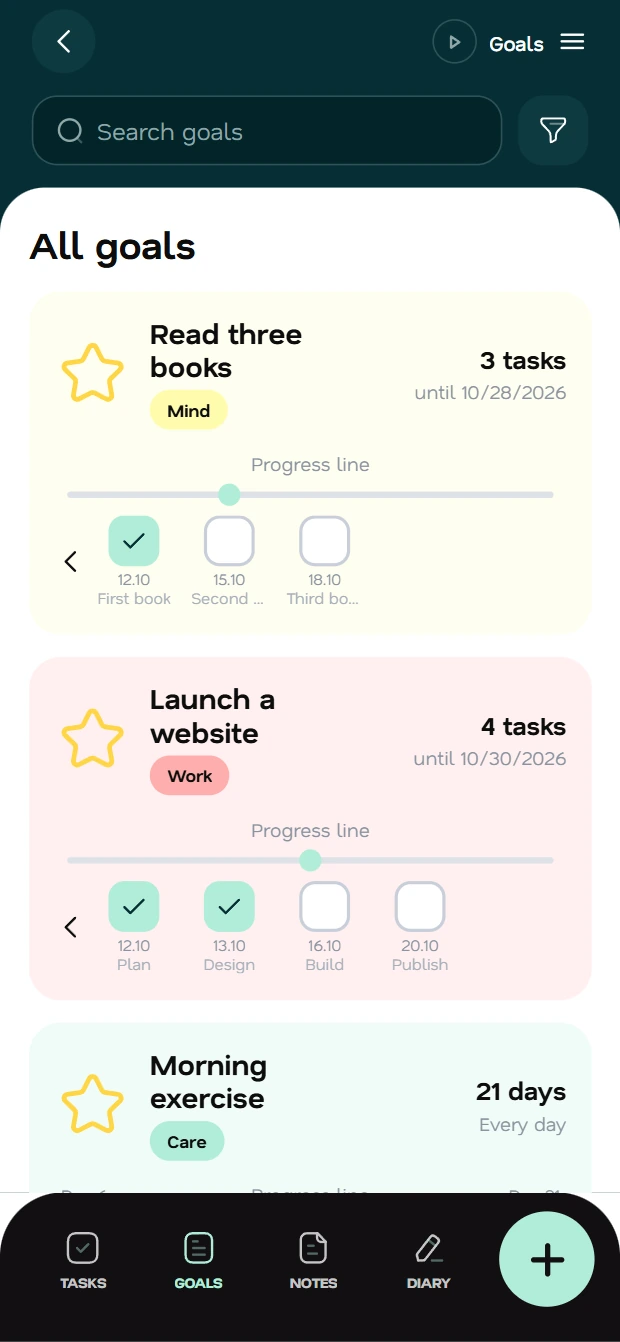
Goal steps are spread evenly to the deadline. Track daily habit repeats: 3 of 8. Night hours are left out of the plan.
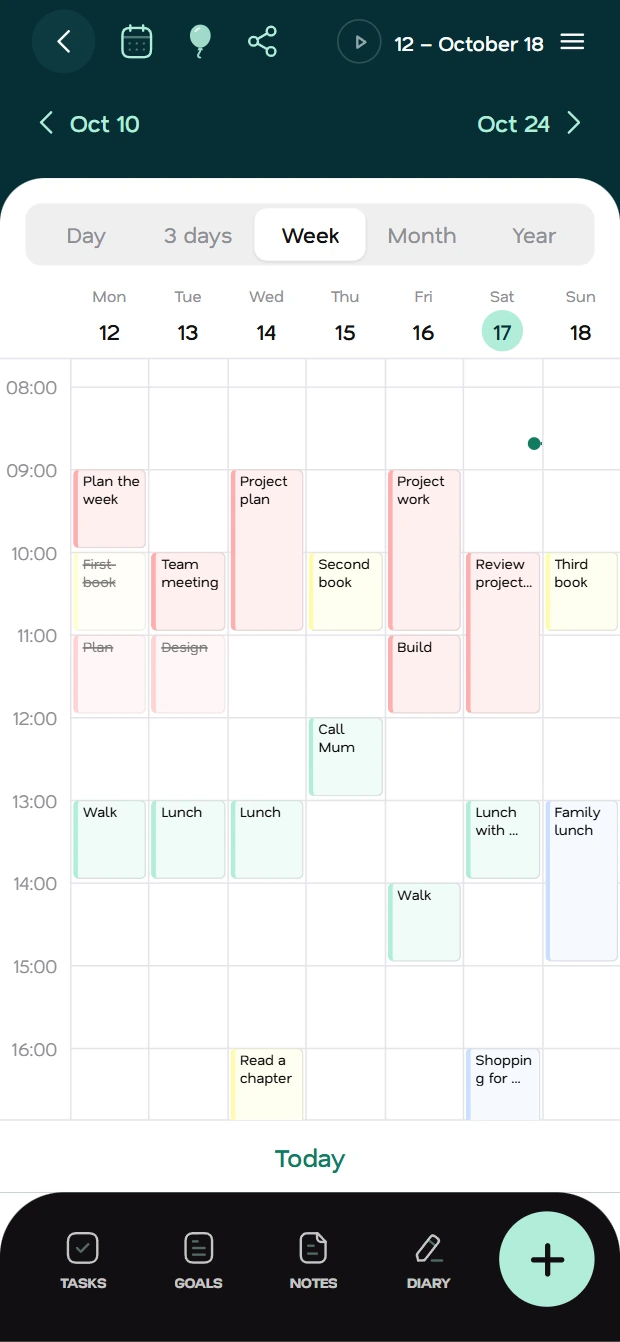
Day, week, month and year. External events in Fluena, tasks in your calendar. Custom colours. Sleep and breaks added for you.
Format text, add photos, voice and tags. Optional encryption protects text and titles on your device and the server.
Email a task to family or a colleague. See its status; the recipient can see who assigned it.

Sign in and load tasks, then add or edit offline. Changes sync without duplicates when you reconnect.
Deadline and goal repeat reminders on phone and web. Set quiet hours for the night.
See the main screens. Swipe sideways.
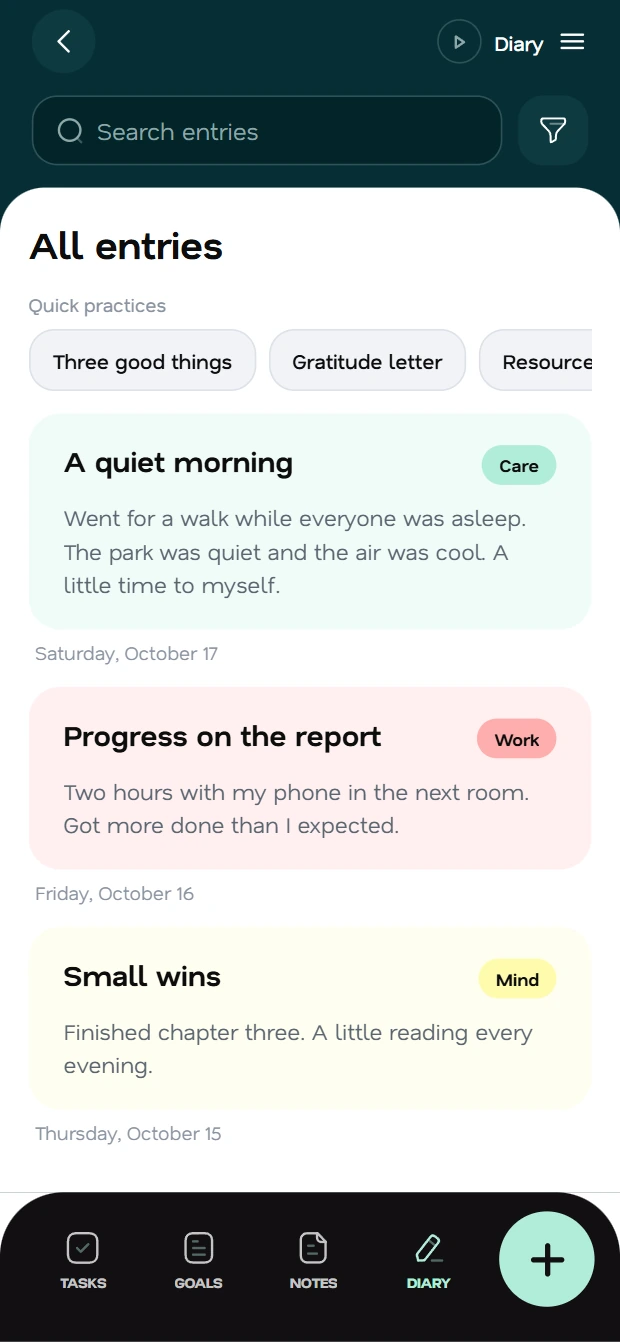
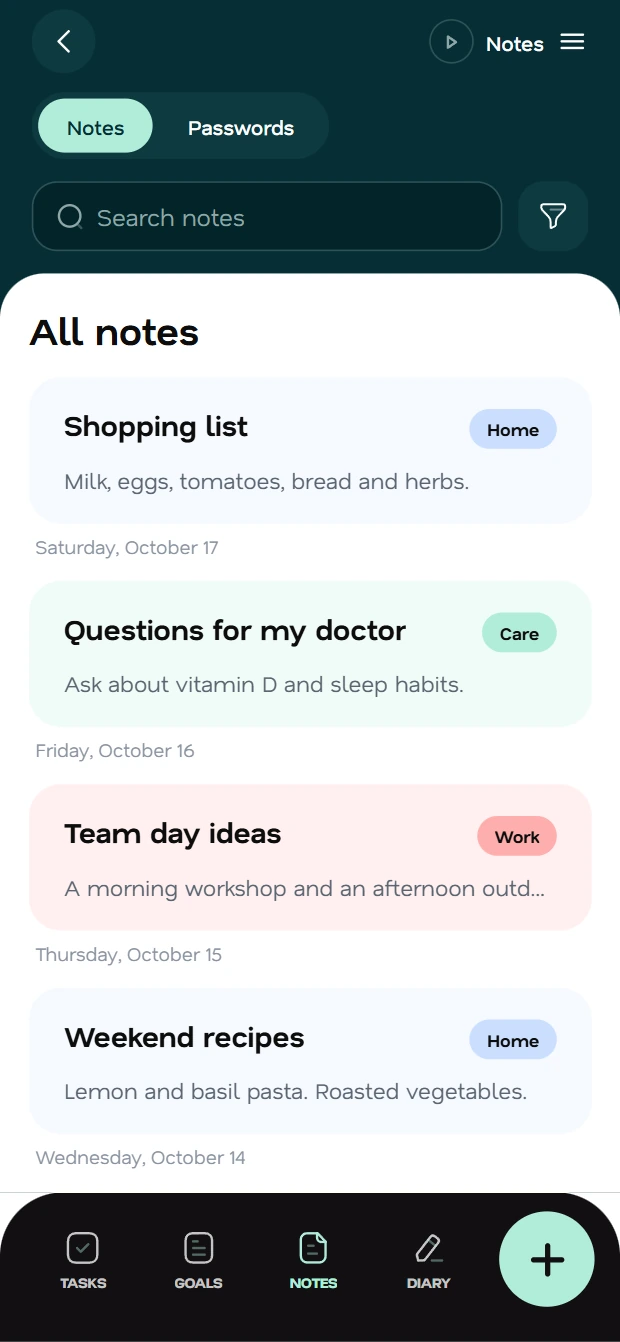
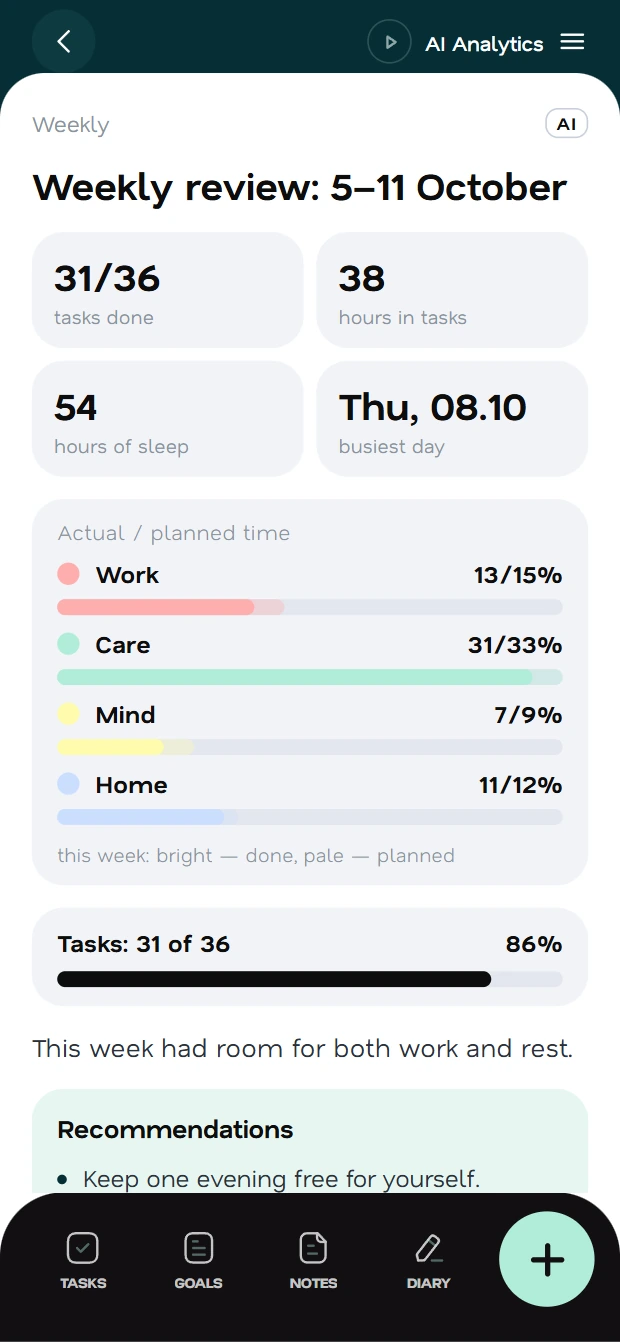

Weekly and monthly reports show progress, time use and life balance. Charts, notes and tips help you plan ahead.
AI reports: 14 days free, then paid. Voice, formatting: free limits.
Tap and say: pick up the documents on Thursday at 3 pm. Fluena finds the date, time and category, then suggests a task, goal, note or journal entry.
In Wellbeing, track how you feel, take surveys and try short practices. A psychologist uses research on burnout, rest and workload.
Track how you feel with Fluena. It does not diagnose or replace professional care.
Encryption is optional. Your master password encrypts notes and journal on your device. The key stays with you; the server holds encrypted text. Private attachments use temporary links.




Enter your email and its sign-in code. One account for your phone and browser.
Set wake-up time, sleep hours and key life areas. Your answers guide categories and priorities.
Add tasks by voice, swipe to complete them and read your weekly report.
Install the Android app from RuStore or open the full web app on your phone or computer.
Use the app in your browser on a computer or phone.
AvailableThe version for iPhone and iPad is being prepared for release.
SoonDownload Fluena for Android from RuStore.
Soon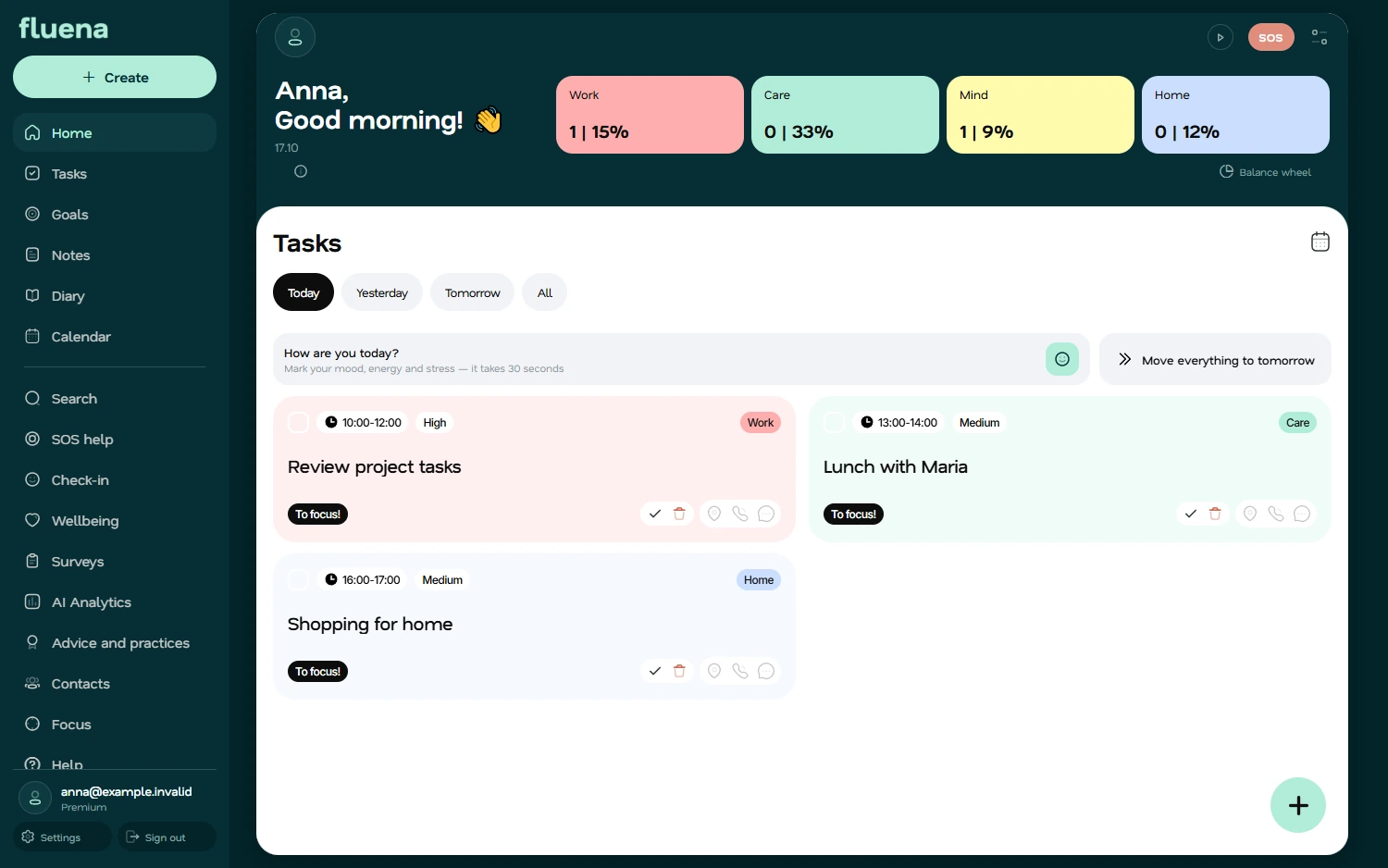
Tasks, goals, calendar, notes and journal are free with limits. Free AI limits cover voice, task tips and formatting. Premium adds higher limits, AI reports, goal help and delegation. First 14 days free.
Android app: RuStore. Full web app: modern browsers on computers, iPhone and Android, with a home screen icon. The iOS app is being prepared for the App Store.
Optional encryption protects notes and journal on your device. The server gets encrypted text; you keep the key. Reset your password with the 24-word code. Lose both and data stays locked.
Sign in and load tasks to create or edit offline. Changes sync on reconnect. Sign-in, AI and unloaded data need internet.
Yes. Add a calendar by link to see its events in Fluena. Share Fluena tasks with that calendar.
The app is in English and Russian. AI advice is translated into the app's language.
Install the web app: home screen icon, full screen, loaded tasks available offline.

